We build the system behind a fully booked day.
VoM Flow exists for the people who sell time: a court, a chair, a room, an hour with a specialist. They deserve one calendar that is always right, and software that stays out of their customers’ way.
 06:30The first class
 17:00The after-work chair
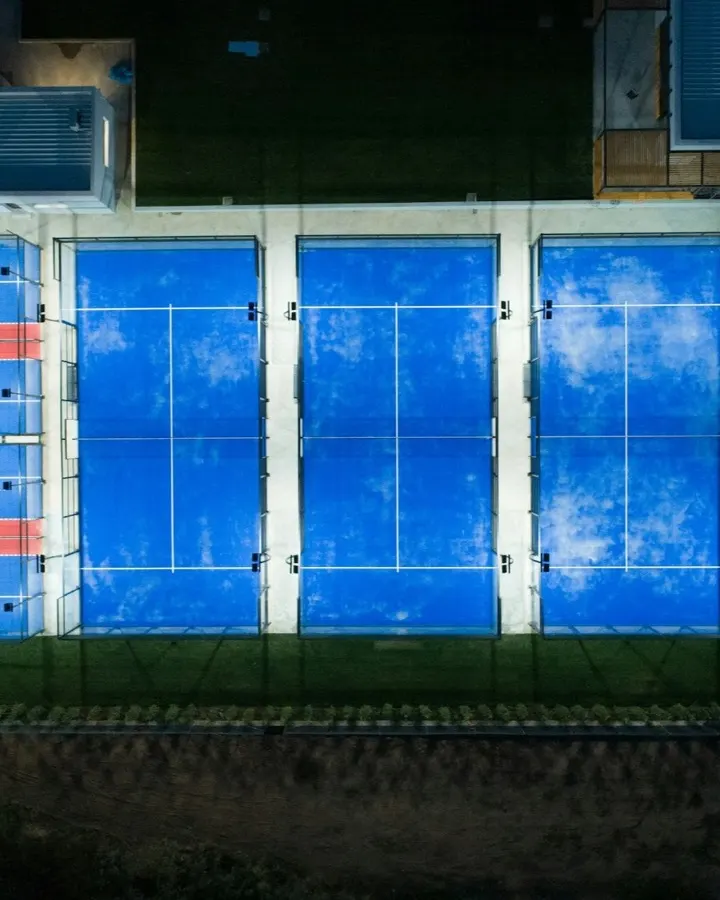 21:00The last court
Why it exists.
A venue that sells time lives by its calendar. Yet most of them keep that calendar in five places at once: a messaging app, a paper diary, a spreadsheet, whoever is at the desk, and the card machine.
The five never quite agree, and the cost is ordinary and constant. A court let twice. A customer told “let me check and get back to you” at midnight. A no-show that nobody reminded. An evening’s takings that do not match the bank.
VoM Flow puts the calendar in one place that cannot contradict itself. Free times are calculated, not typed in. A slot is gone the moment it is paid for. The invoice is issued by the payment, and the reports are added up from real money. It was built for Saudi Arabia from the first line: in Arabic, for mada, and for ZATCA.

Who uses it, and what each of them gets.
A venue is several jobs. The product was designed around each one.
- Owners
- Set the venue up in their own words, decide the policies and the prices, and read what the business earned from real payments.
- Managers
- Run the schedule, the team and the services across one branch or several, and fix whatever went wrong today.
- Reception
- Take walk-ins and phone bookings, check customers in by QR, name or phone, and record what was paid at the desk.
- Providers
- Therapists, trainers, doctors and coaches see their own diary, and nothing that is not theirs.
- Customers
- Book and pay on the venue’s own page in under a minute, on a phone, without making an account for every venue.
What we hold to when we build.
Five rules decide what goes into the product and what stays out. Each one is something you can see when you use it.
The venue’s brand, and the venue’s rules
Your customers see your name, your colours and your address. You set the cancellation window, the fees and the prices. We provide the means and stay out of view.
Your words, not a database’s
The product says court, room, chair and doctor, because that is what you sell. You never have to learn how the system thinks in order to use it.
Correctness you can see
No double-booking, no message that silently failed to send, and money always shown as what was paid, the fee, and what you receive.
Suggestions, never decisions
Where the product recommends something, it shows what the recommendation is based on and waits for you to approve it. Nothing acts on your customers without you.
One core for every kind of venue
Appointments, classes and rentals run on the same schedule, the same checkout and the same invoices, so a venue that grows does not have to change systems.
Saudi-first, in the details.
Not a product translated for the market, but one built in it.
- ZATCA e-invoicing
- Simplified tax invoices signed and reported to the Fatoora platform, from a connection the venue makes itself.
- mada and Apple Pay
- The methods customers here reach for first, with Visa and Mastercard beside them.
- Arabic as the original
- Every screen is written in Arabic and set right to left. English is the translation, one tap away.
- Hijri and Gregorian
- Dates are shown in both calendars, and times in your venue’s own timezone.
- Sign-in by mobile number
- A code sent by SMS, which is how people here expect to prove who they are.
- Data kept apart
- Every venue’s bookings, customers and money are separated at the database, not by a filter on a screen.
Who is behind it.
The agreement between a venue and the platform is with the company named below. Its terms are public, and they are the same for every venue.
- Operated by
- شركة اعملها بنفسك لتقنية نظم المعلومات
Frequently asked questions.
What venue owners ask before they sign up. If yours is not here, ask us.
Asked first
Do I need a website already?
No. For most venues the booking page is the website: your name, your colours, your own address, and it works on a phone. If you already have a site, link to it from there.
What happens when two people book the last slot at the same moment?
One of them gets it. The slot is claimed inside a database transaction, so the second request is refused rather than quietly double-booked, and that customer is shown what is still free.
Do you handle ZATCA e-invoicing?
Yes. Every paid booking produces a simplified tax invoice with the QR code and 15% VAT per line, reported to ZATCA through the Fatoora platform. You don’t need a second system for it.
Which payment methods can I take?
Online: mada, Apple Pay, Visa and Mastercard. At the desk: cash, bank transfer and card. You can also send a payment link that the customer finishes on their phone.
Can customers cancel and reschedule themselves?
Yes, inside the window you set. Outside it, your policy applies: a fee, a forfeited credit, or nothing at all. You set the rule once and everything follows it.
I rent rooms by the hour and run classes. Can I do both?
Yes. One venue can rent a room by the hour and run a class timetable in it, on the same calendar, without the two colliding.
Getting started
What is VoM Flow?
VoM Flow is an online booking and payments system for venues that sell time. It gives a venue a booking page on its own address, one calendar for appointments, classes and rentals, online payment by mada and Apple Pay, ZATCA e-invoices, reminders, packages and reports.
Who is VoM Flow for?
Any business in Saudi Arabia that is booked by the hour or by the place: padel and football courts, salons and barbers, clinics, spas, yoga and fitness studios, coworking spaces and meeting rooms, and individual tutors, coaches and consultants.
How long does it take to get started?
Creating your venue takes about a minute: you say what you run and choose your address. Then you add your hours, your services or courts and their prices, subscribe, activate payments and share your link. Everything can be changed later.
Do I need a developer or any technical knowledge?
No. There is nothing to install and no code to write. You set the venue up from the Dashboard in a browser, and your booking page is live on its own address as soon as you subscribe.
How do I move over from the system I use now?
Tell us what you use today and send what you have; a spreadsheet is fine. We will help you bring across your services, your team and your upcoming bookings, and tell you the best day to switch.
Bookings
Can a customer book for more than one person?
Yes, where what they are booking has room for more than one. A customer can book several places in a class on one booking, and the venue sees who booked and who is attending.
What happens when a class or a slot is full?
Customers can join the waitlist. When a place opens, it is offered to the next person in line, who has 30 minutes to claim it before it goes to the one after.
Can I run more than one branch?
Yes. Each branch has its own hours, prices, team and rooms, and the owner sees them all together. One branch is in the plan, and each extra one is priced per year, as the Pricing page shows.
Is there a mobile app?
There is no app to download, for you or for your customers. The booking page and the Dashboard both run in the browser, on a phone, a tablet or a computer, so there is nothing to update and nothing to approve in an app store.
Payments
What do I need before I can take online payments?
You activate payments once from the Dashboard by providing your business and bank details for review. Until that is approved, your team can add bookings from the Dashboard and record what customers pay at the desk. Your booking page opens to customers once payments are active.
Where does the money from online payments go?
To the bank account you register when you activate payments. Every payment shows what the customer paid, the processing fee and the amount you receive, so what arrives matches what the reports say.
Can I refund a customer?
Yes, in full or in part, from the booking or the payment. The refund is recorded on the same payment, and a credit note is issued for the invoice.
Data and language
Is my data separate from other venues?
Yes. Every query is limited to your venue at the database layer, not by a filter on one screen that someone could forget. Your bookings and customers cannot appear in another venue’s reports.
Who owns my customer list?
You do. A customer signs in with one identity across every venue, but their history with you, what they spent, and the notes and tags your team keeps are yours alone and visible only to you.
Can my staff use it in English?
Yes. Arabic is the default and the whole interface is right to left, but English is one tap away and the choice is each person’s own. Your customers get the same switch on your booking page.
Does it work outside Saudi Arabia?
It was built for Saudi Arabia first. Each venue sets its own currency and timezone, but ZATCA reporting applies to invoices in riyals, and the payment methods are the ones used here.
Help
How do I get help when I need it?
The Dashboard has a Help Center with guides for each part of the product, in Arabic and English. If you need a person, write to us from the contact page and someone who knows the product will answer.
Can I see the product before I pay?
Yes. Book a demo and we will walk you through it on a real schedule, at a time that suits you, in Arabic or English. There is no trial period, so a demo is the way to see it first.
Open your calendar tonight.
Create your venue in about a minute, then subscribe to go live. Or see it first, on your own schedule.